Your smartphone is an important element of your daily routine, containing personal information, images, and communication tools. Protecting it from damage and security risks is critical to keeping it operational and secure. From physical protection against drops and scratches to guaranteeing digital security against malware, there are simple behaviors you can follow to extend the life of your phone and keep your data safe. Whether you are prone to accidents or wish to avoid hacking efforts, this article covers the most important daily routines for protecting your smartphone from both physical and digital threats.
How Can You Physically Protect Your Smartphone Every Day?
Use a Durable Case and Screen Protector
A strong case and screen protector are the first lines of defense against regular wear and tear. Cases reduce shock from drops and bumps, protecting your phone’s frame and internal components. Screen protectors, comprised of tempered glass or plastic, keep scratches and cracks from damaging your display. Investing in high-quality, shock-absorbing accessories protects your phone from accidental falls, which are a typical source of damage. These simple changes offer an inexpensive way to greatly minimize the likelihood of costly repairs or replacements.
Avoid Extreme Temperatures and Moisture Exposure
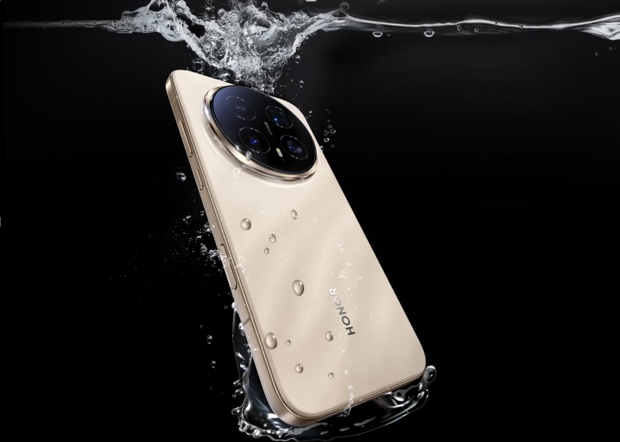
Exposing your smartphone to high heat or dampness might cause long-term harm. High temperatures can harm internal circuitry, reducing battery life and processing performance, whilst extreme cold can cause displays to freeze or malfunction. Similarly, moisture exposure can cause corrosion and compromise your phone’s performance. To safeguard your gadget, avoid leaving it in direct sunlight or in extremely cold temperatures, and never submerge it in water unless it is waterproof. Using a protective bag when outside or in humid situations can help safeguard your phone from environmental harm.
Clean Your Phone Regularly to Prevent Buildup and Damage
Regular cleaning of your smartphone is necessary to prevent the accumulation of dirt, dust, and germs, which can cause internal harm over time. To keep the device clear and free of smudges, wipe down the screen, camera lenses, and back using a microfiber cloth. To prevent blockage, remember to clean the charging port and speaker grills with compressed air. Cleaning your phone also helps to keep it in good working order by preventing dirt from getting into ports and buttons. A clean phone looks nicer and lasts longer, so its performance remains ideal.
What Digital Habits Keep Your Phone Secure?
Install Apps Only from Trusted Sources Like Official Stores
Installing apps solely from the official app store is critical for protecting your phone from harmful malware. Third-party app shops might distribute malicious software containing viruses or malware, putting your data and privacy at risk. Before installing, always verify the app’s permissions and reviews to ensure that you’re obtaining trustworthy software. Sticking to reliable sites reduces the danger of downloading applications that might harm your phone or compromise your personal information, safeguarding your device’s security.
Enable Automatic Security Updates and Strong Lock Screens
Enabling automatic security updates is critical for protecting your smartphone from the most recent threats. Software makers often offer updates to address vulnerabilities and security weaknesses, protecting your device from hacker attempts. Furthermore, enabling a powerful lock screen—such as a PIN, password, fingerprint, or face recognition—provides an added layer of protection by prohibiting unwanted access. A locked screen means that even if your phone is lost or stolen, your personal information is safe, and only you can unlock and use it.
See also: How Technology Enhances Modern Travel Experiences
Use Two-Factor Authentication for Sensitive Accounts
Two-factor authentication (2FA) is a critical security tool for safeguarding sensitive accounts like banking and email. By requiring a second form of identity, such as a code delivered to your phone or a biometric scan, 2FA provides an additional layer of security. Even if someone acquires access to your login information, they will be unable to access your accounts without the second factor. Enabling 2FA on your key accounts guarantees that your information remains secure, lowering the likelihood of being targeted by hackers and helping to keep your data safe.

Why Should You Back Up and Monitor Your Device Regularly?
Daily Cloud Backups Save Your Photos, Messages, and Files
Back up your phone’s data on a regular basis to avoid losing crucial information like images, texts, and files. Cloud backups ensure that your data is protected, even if your phone is lost, damaged, or erased. Most smartphones provide automated daily backups to the cloud, making it simple to keep your data secure with no effort. By backing up your data on a regular basis, you can instantly recover it and avoid the worry of losing priceless stuff such as photographs, contacts, and essential papers.
Track Location and Wipe Remotely If Your Phone Is Lost
Even while current smartphones include tools that allow you to remotely delete your device’s data and monitor its position, losing your phone may still be a distressing situation. Turn on location tracking on your phone so you can find it quickly if you lose it. In order to prevent sensitive information from getting into the wrong hands, HONOR devices also enable you to remotely delete all personal data. Making sure these features are turned on on a regular basis gives you peace of mind that you can safeguard your privacy in the event that your phone is stolen or lost.
Review App Permissions Monthly to Limit Data Access
Regularly checking app permissions guarantees that the apps on your phone are only accessing the data required to perform their functions. Apps may eventually ask for access to additional private data, including contacts or location, which might jeopardize your privacy. You can stop applications from accessing your personal information without your permission by checking and modifying these permissions on a monthly basis. Keeping your sensitive information under control and ensuring that your phone only communicates what is absolutely essential are two benefits of limiting app permissions.
Conclusion
Protecting your smartphone on a daily basis requires a combination of physical care, digital security behaviors, and routine maintenance. You may extend the life of your phone and keep your personal data private by using a sturdy case, keeping it clean, and using secure digital habits such as enabling 2FA and doing frequent backups. Small everyday measures such as monitoring program permissions, keeping your device from dampness and severe temperatures, and activating tracking capabilities, can help you avoid bigger problems in the future. Make these practices a part of your routine to keep your smartphone safe and functional for years. For example, the HONOR Magic8 Pro cell phone in malaysia offers excellent protection features, ensuring your device stays secure and performs optimally.